AI Image Generator: The Best AI Tools in 2026
Finding the best AI image generator in 2026 can feel overwhelming with dozens of powerful tools competing for your attention. Whether you need stunning visuals for marketing campaigns, creative artwork for personal projects, or commercially-safe images for your business, the right tool exists—you just need to know where to look.
The AI image generation landscape has matured significantly. The era of “prompt and pray” is over. Today’s tools deliver consistent, professional-quality results that rival human artists. In this comprehensive guide, we compare the top AI image generators 2026 has to offer, covering free options, commercial-use platforms, and specialized tools for every creative need.
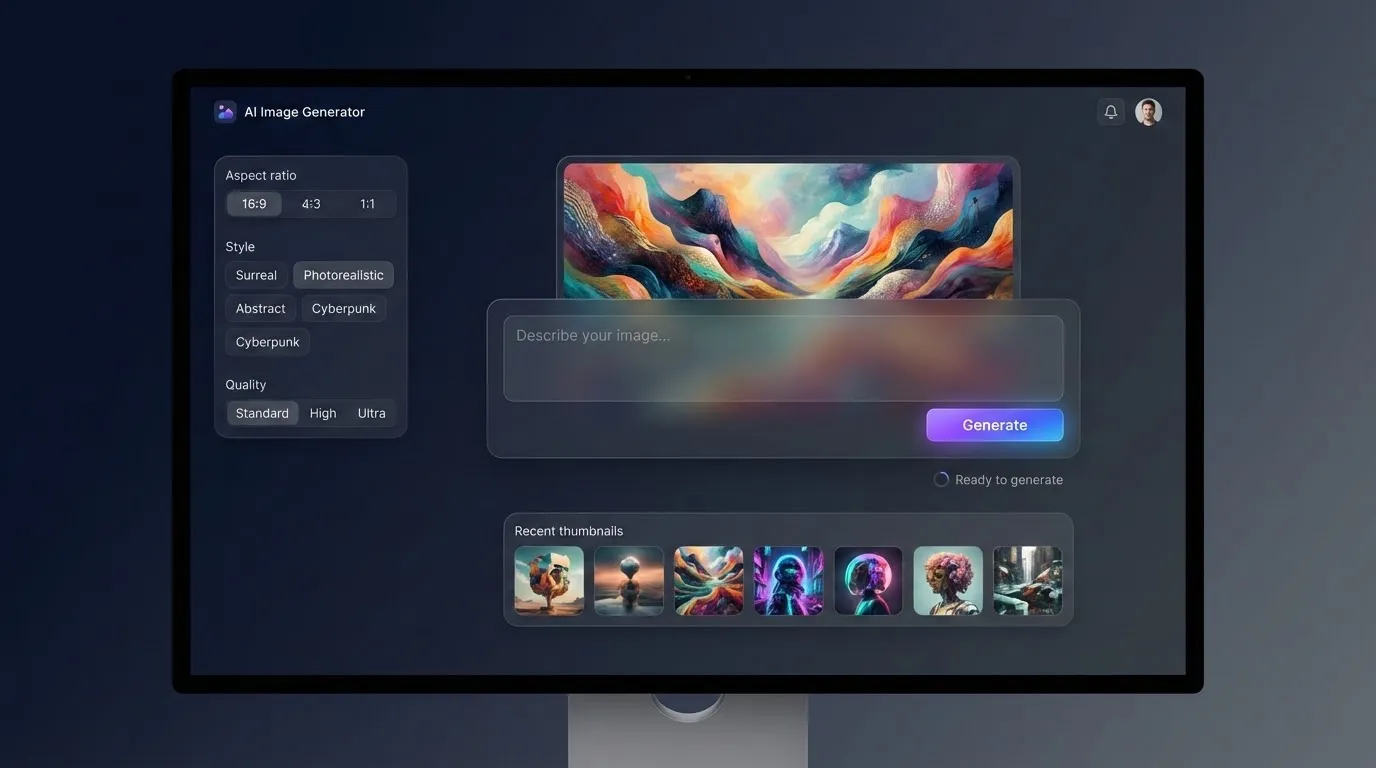
What Makes a Great AI Image Generator in 2026
Before diving into specific tools, understanding what separates exceptional AI image generators from mediocre ones helps you make better choices.
Key Evaluation Criteria
Prompt Adherence: The best text to image AI generator 2026 offers should accurately interpret your descriptions, including complex multi-element scenes and specific stylistic requests.
Image Quality: Resolution, detail accuracy, and aesthetic appeal matter enormously. Top tools now produce images indistinguishable from professional photography or illustration.
Text Rendering: Many AI generators struggle with text in images. Leading platforms have solved this challenge, producing clean, readable typography.
Speed and Accessibility: Whether browser-based or requiring local hardware, generation speed and ease of access impact your workflow significantly.
Commercial Rights: For business use, clear licensing terms determine whether you can safely use generated images in marketing, products, or client work.
Top 10 Best AI Image Generators in 2026
1. GPT Image 1.5 (OpenAI) — Best Overall
GPT Image 1.5 leads the pack with the highest benchmark scores and exceptional conversational capabilities. What sets it apart is the natural interaction—you describe what you want, then refine it by saying things like “zoom out a little” or “add fog in the background.”
Strengths:
- Superior text rendering (95% accuracy on complex text)
- Natural language understanding powered by GPT-4o
- Handles photorealistic scenes and illustrative artwork equally well
- Seamless ChatGPT integration
Pricing: Free tier allows 3 images daily. ChatGPT Plus at $20/month unlocks expanded access.
Best For: Users wanting the easiest, most intuitive image generation experience with excellent text capabilities.
2. Midjourney v7 — Best for Artistic Quality
If pure artistic quality matters most, Midjourney consistently delivers stunning results. Now offering a sleek web interface alongside its Discord community, Midjourney produces images with a distinctly professional, almost magical quality that creative professionals love.
Standout Features:
- Character Reference (–cref): Generate a character once and maintain face consistency across scenes—essential for storyboarders and comic artists
- Style Reference (–sref): Upload mood boards and Midjourney mimics the lighting and color palette
- Exceptional handling of cinematic realism, hand-drawn effects, and fantasy scenes
Pricing: Basic plan starts at $10/month, Standard at $30/month, Pro at $60/month.
Best For: Artists, designers, and creative professionals seeking the highest aesthetic quality.
Beginner Tip: Start with simple prompts and gradually add style modifiers. Midjourney’s community showcases offer inspiration for effective prompting techniques.
3. Adobe Firefly — Best AI Image Generator for Commercial Use
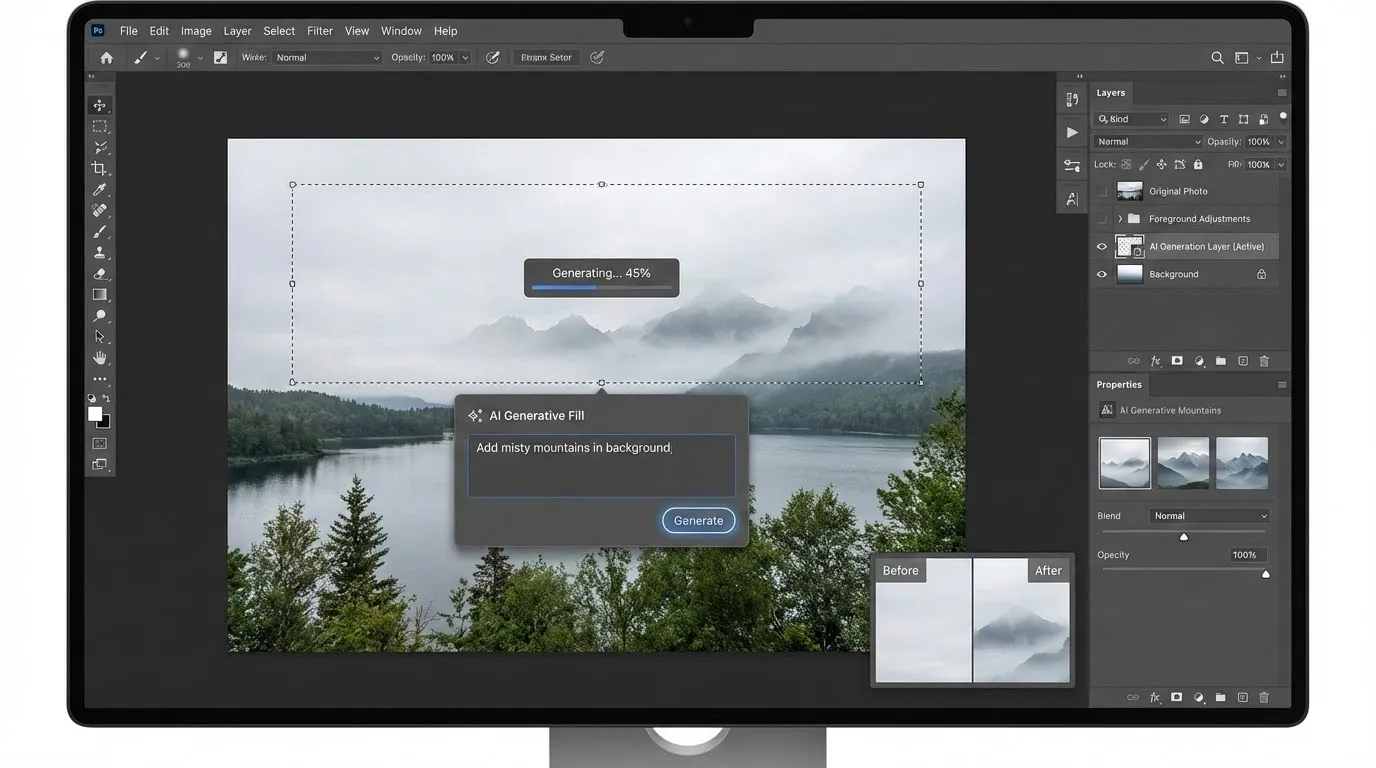
When commercial safety is non-negotiable, Adobe Firefly stands as the best AI image generator for commercial use. Trained exclusively on Adobe Stock images and public domain content, Firefly provides enterprise-grade assurance against copyright claims.
Why Businesses Choose Firefly:
- Fully integrated into Photoshop, Illustrator, and Express
- Clear commercial licensing with no legal gray areas
- Generative Fill and background replacement tools
- 2026 surveys show businesses reduce design compliance risks by over 60%
Pricing: Included with Creative Cloud subscriptions. Standalone plans available.
Best For: Marketing teams, agencies, and businesses requiring legally-safe commercial images.
4. Ideogram 3.0 — Best for Text and Typography
Ideogram 3.0 remains the undisputed champion for text and typography in images. While most AI generators struggle with readable text, Ideogram handles fonts, handwriting, and stylized lettering almost perfectly.
Key Capabilities:
- Clean, readable text that looks professionally designed
- Multiple font styles and typographic treatments
- Excellent for social media graphics, posters, and branded content
Pricing: Free plan offers 10 credits weekly. Paid plans unlock unlimited access and priority generation.
Best For: Social media managers, graphic designers, and anyone needing text-heavy visuals.
5. Flux 2 — Best Open-Source Option
Flux 2 from Black Forest Labs represents the pinnacle of open-weight image generation. For developers, privacy-conscious users, and those wanting complete customization control, Flux 2 delivers unmatched flexibility.
Technical Highlights:
- Run locally with full control over the generation process
- Custom model training capabilities
- No usage limits when self-hosted
- Active community creating specialized fine-tuned models
Requirements: GPU with at least 8GB VRAM (RTX 3080 or better recommended) for local generation.
Best For: Developers, advanced users, and privacy-sensitive applications requiring full control.
Advanced Tip: Platforms like NightCafe, Tensor.Art, and Civitai offer Flux 2 access without requiring local hardware setup.
6. Nano Banana Pro (Google) — Best for Google Ecosystem
Google’s Nano Banana Pro finally delivers on the promise of world-class image generation. With excellent prompt adherence and seamless Google Workspace integration, it’s become essential for teams already invested in Google’s ecosystem.
Pricing: Limited free tier available. Full access included with Google AI Pro plan at $20/month.
Best For: Teams using Google Workspace wanting tight ecosystem integration.
7. Raphael AI — Best Completely Free Option
Looking for the best free AI image generator in 2026? Raphael AI breaks the mold as the world’s first completely free AI image generator with no usage limits, no registration required, and no hidden fees.
How It Works:
- Intelligent routing across Z-Image, Flux 2, Qwen-Image, and Nano Banana Pro
- No credit card or account needed
- Unlimited generations
Best For: Hobbyists, students, and anyone wanting to explore AI image generation without financial commitment.
8. Leonardo.ai — Best Free AI Image Generator for Gaming Art
Leonardo.ai specializes in fantasy and gaming aesthetics, making it ideal for game developers, concept artists, and fantasy enthusiasts. The free tier offers generous daily token allocation.
Standout Features:
- Pre-trained models optimized for game assets
- Character and environment generators
- Community-shared models and styles
Pricing: Free tier with daily token allocation. Paid plans for heavy users.
Best For: Game developers, fantasy artists, and character designers.
9. Bing Image Creator — Best Free Access to DALL-E 3
Microsoft’s Bing Image Creator provides free access to DALL-E 3’s capabilities with 100 monthly credits (up to 400 images). For casual users wanting premium quality without cost, it’s an excellent entry point.
Best For: Casual users wanting DALL-E 3 quality at no cost.
10. Freepik AI — Best for Simplicity
Freepik balances simplicity with access to powerful models like Flux and Mystic. The clean interface removes complexity, making it perfect for users who want results without learning curve.
Pricing: 20 free generations daily. Paid plans for expanded access.
Best For: Beginners and users prioritizing ease of use over advanced features.
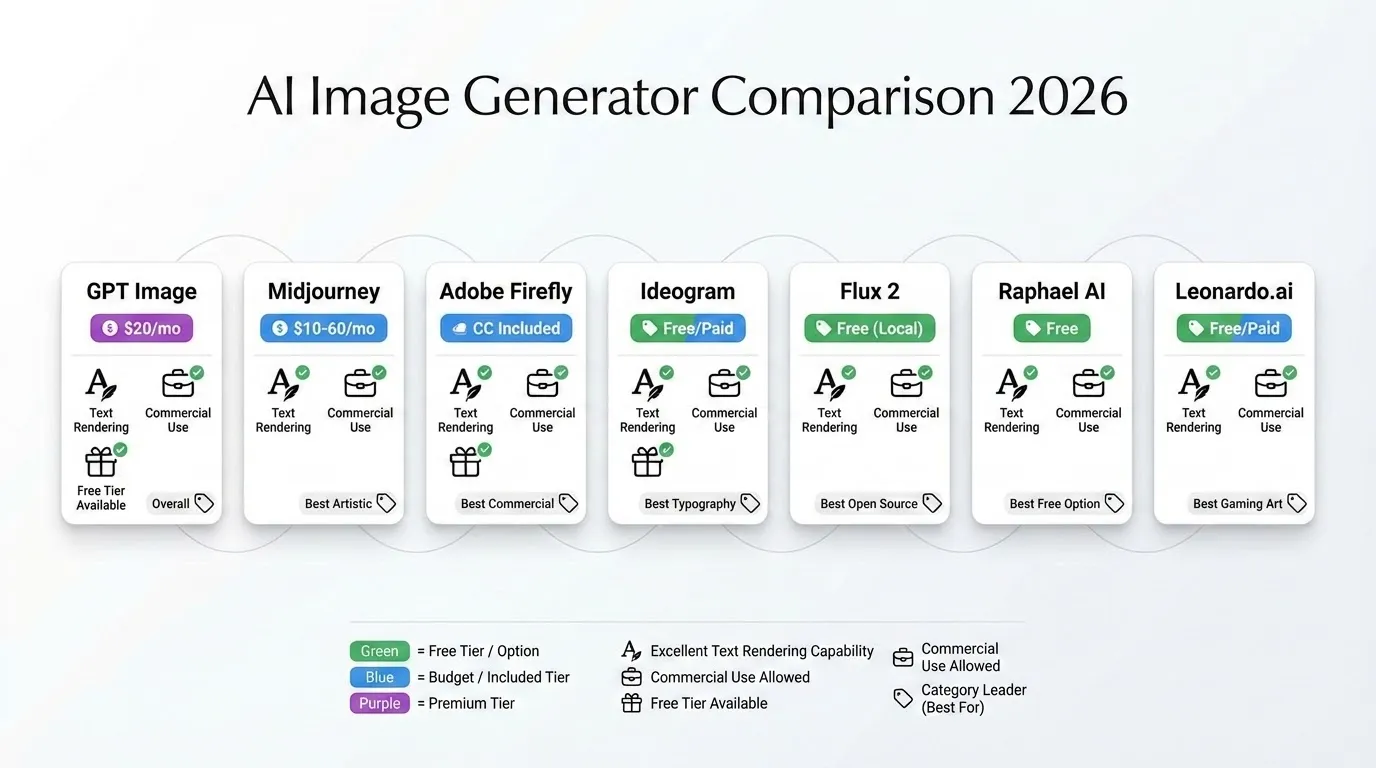
Best AI Image Generator Online: Quick Comparison
| Tool | Best For | Price | Commercial Use |
|---|---|---|---|
| GPT Image 1.5 | Overall ease + text | Free/$20 | Yes |
| Midjourney v7 | Artistic quality | $10-60/mo | Yes |
| Adobe Firefly | Commercial safety | CC included | Yes (safest) |
| Ideogram 3.0 | Typography | Free/Paid | Yes |
| Flux 2 | Customization | Free (local) | Check license |
| Raphael AI | Completely free | Free | Varies |
| Leonardo.ai | Gaming/Fantasy | Free/Paid | Yes |
How to Choose the Right AI Image Generator
For Personal Projects and Exploration
Start with free options like Raphael AI or Bing Image Creator to understand AI image generation without investment. Once you identify your style preferences, consider paid tools matching your aesthetic.
For Professional Creative Work
Midjourney remains the industry standard for artistic quality. Its character and style reference features enable consistent visual storytelling that other platforms struggle to match.
For Business and Marketing
Adobe Firefly’s commercial licensing provides peace of mind that other platforms cannot guarantee. For businesses generating over $1M annually, enterprise licensing from platforms like Stability AI becomes necessary.
For Developers and Technical Users
Flux 2 and Stable Diffusion offer complete control. Run locally for privacy, train custom models, and integrate into custom workflows without platform dependencies.
Understanding Commercial Licensing
Using AI-generated images commercially requires understanding each platform’s licensing terms:
Commercially Safe Platforms:
- Adobe Firefly (trained on licensed content)
- Getty Images AI (zero commercial risk)
- Depositphotos AI (Standard license included)
Requires Attention:
- Midjourney and Ideogram generate commercially-usable images, though the legal landscape continues evolving
- Stability AI requires enterprise licensing for organizations over $1M revenue
- Open-source models like Flux have varying license requirements
Beginner Tip: Avoid using AI-generated images as logos or core brand elements without significant human modification. Use AI outputs as starting points, adding substantial original work before commercial deployment.
Tips for Better AI Image Generation
Crafting Effective Prompts
The best text to image AI generator 2026 provides responds dramatically better to well-structured prompts:
- Be Specific: “A golden retriever playing in autumn leaves at sunset, shallow depth of field” outperforms “dog in park”
- Include Style References: Mention artistic styles, photographers, or visual aesthetics
- Describe Lighting: “Soft diffused light,” “dramatic rim lighting,” or “golden hour glow”
- Specify Composition: “Close-up portrait,” “wide establishing shot,” or “bird’s eye view”
Iterative Refinement
Modern generators excel at refinement. Generate initial concepts, then use conversational commands:
- “Make it more vibrant”
- “Add more detail to the background”
- “Change the lighting to cooler tones”
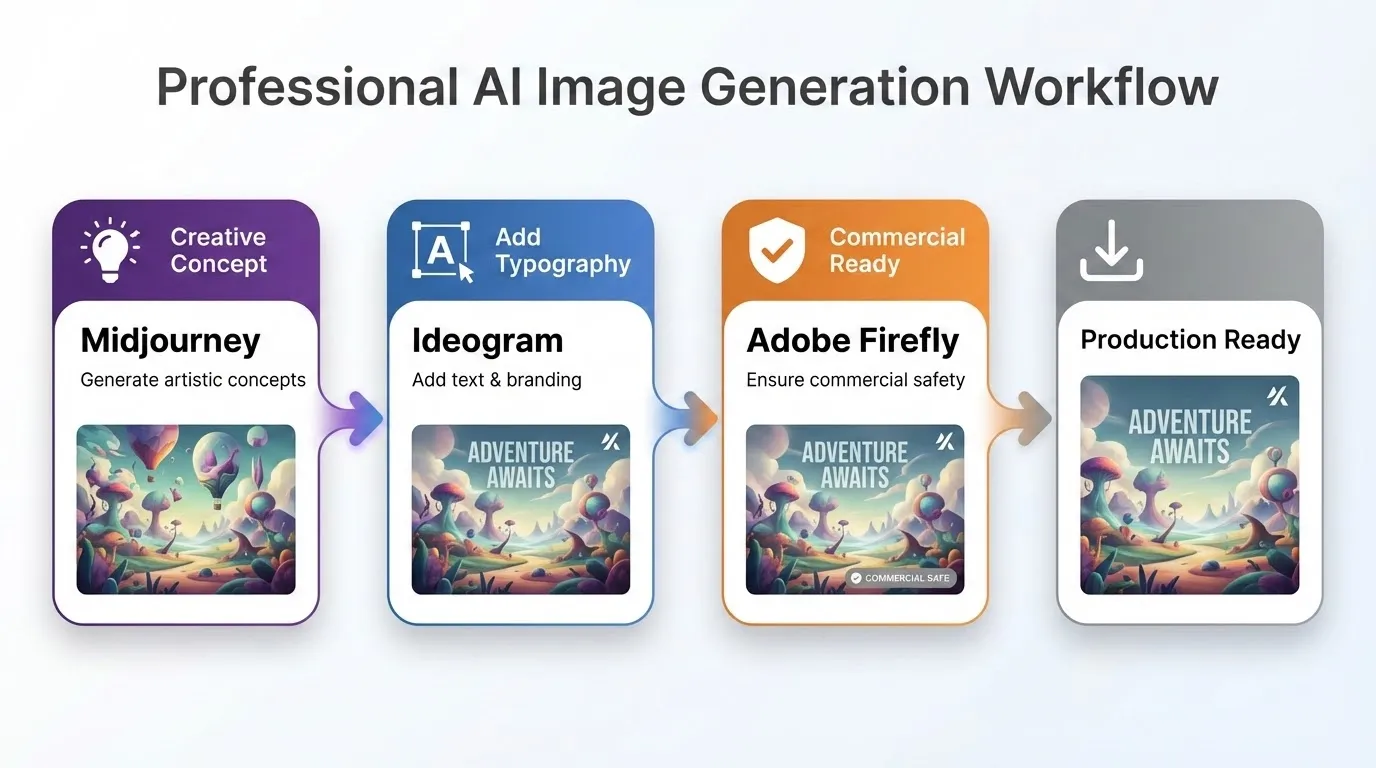
Combining Multiple Tools
Many professionals now use multiple platforms:
- Midjourney for initial creative concepts
- Ideogram for adding typography
- Adobe Firefly for commercial-safe final versions
The Future of AI Image Generation
AI image generation in 2026 focuses less on raw quality improvements and more on workflow integration and control. Key trends include:
- Video Generation: Static image tools expanding into motion
- 3D Asset Creation: Generating 3D models from text descriptions
- Real-Time Generation: Interactive tools producing images instantly as you type
- Enhanced Consistency: Better character and style persistence across generations
Get Started with AI Image Generation
The top AI image generators 2026 offers make professional-quality visual creation accessible to everyone. Whether you choose the artistic excellence of Midjourney, the commercial safety of Adobe Firefly, or the freedom of completely free tools like Raphael AI, you have powerful creative capabilities at your fingertips.
Start with a free option to understand what’s possible. Experiment with different tools to find your preferred workflow. Most importantly, remember that AI image generators work best as creative partners—they amplify your vision rather than replace your creative direction.
Ready to create? Pick one tool from this guide and generate your first image today. The best way to understand AI image generation is through hands-on experimentation.